Presets
How the site is drawn. Pick one in hugo.toml; it brings its fonts and a colour scheme.
Choosing one
[params.style]
  preset = "editorial"
Each preset brings its own colour scheme, which you can replace (Colour schemes) and its fonts from Google Fonts, which you can replace too (Fonts).
The six
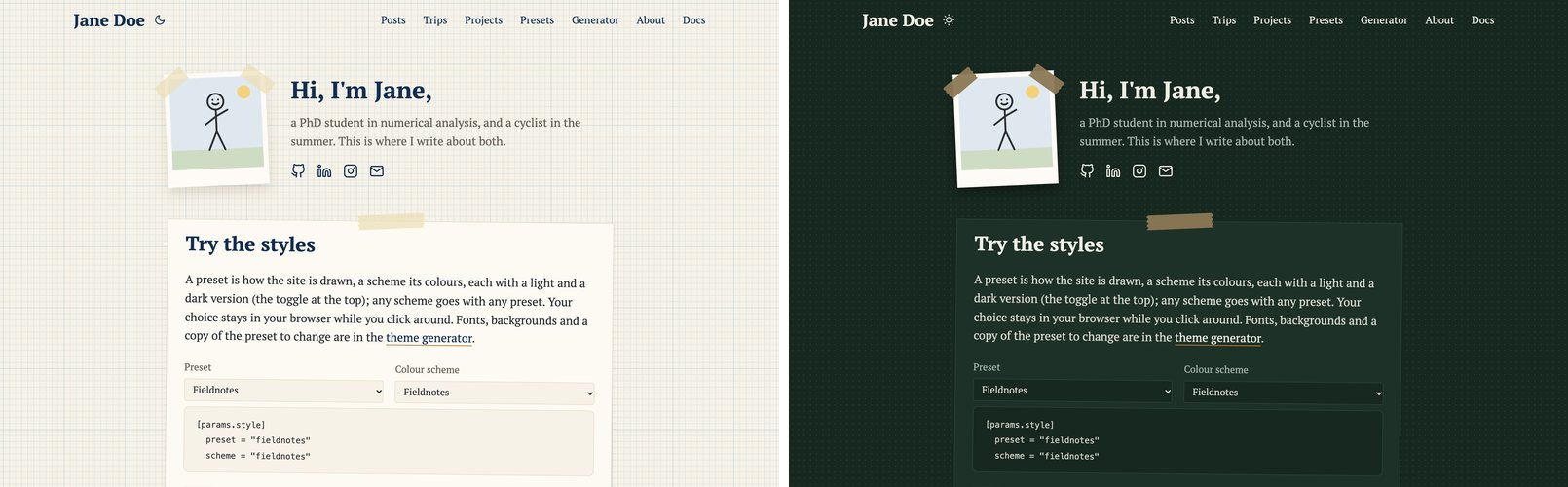
fieldnotes
PT Serif on graph paper. Cards are cut-outs stuck onto the page with a strip of masking tape, tilted a little, every other one the other way; your photo, the trip maps and photos in a text are white prints taped at their corners. In dark mode: a green blackboard with chalk. The default. Its scheme: fieldnotes.
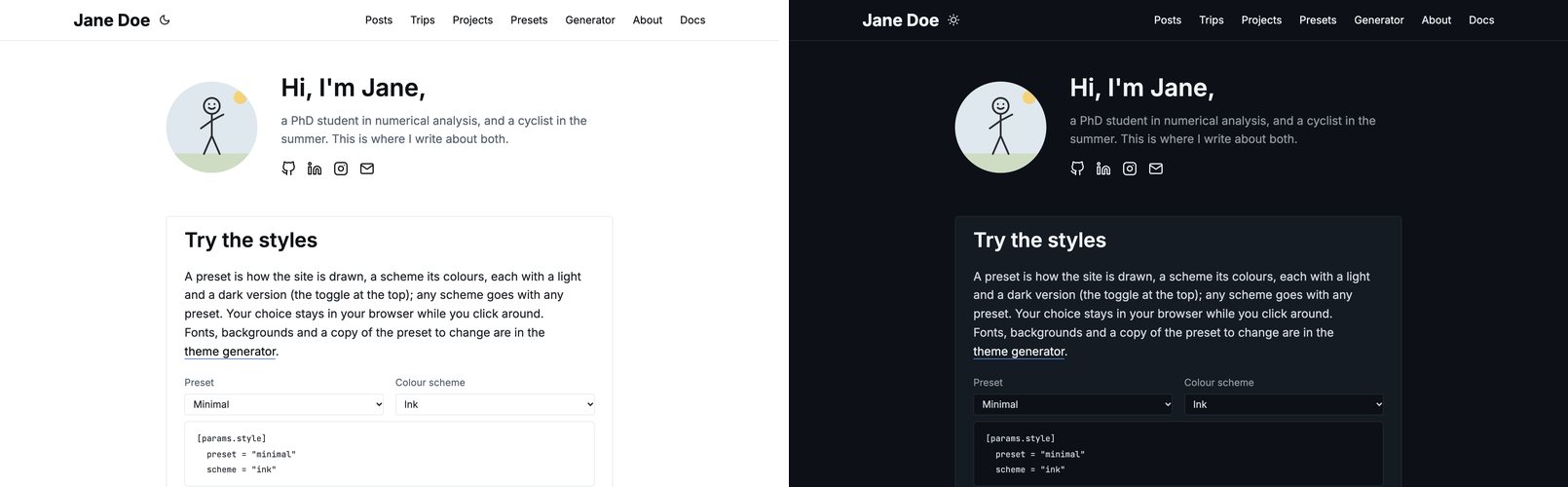
minimal
Inter, thin borders, no background pattern, no shadows, no movement: calm, like a documentation site. Cards darken their border when hovered instead of lifting. Its scheme: ink.
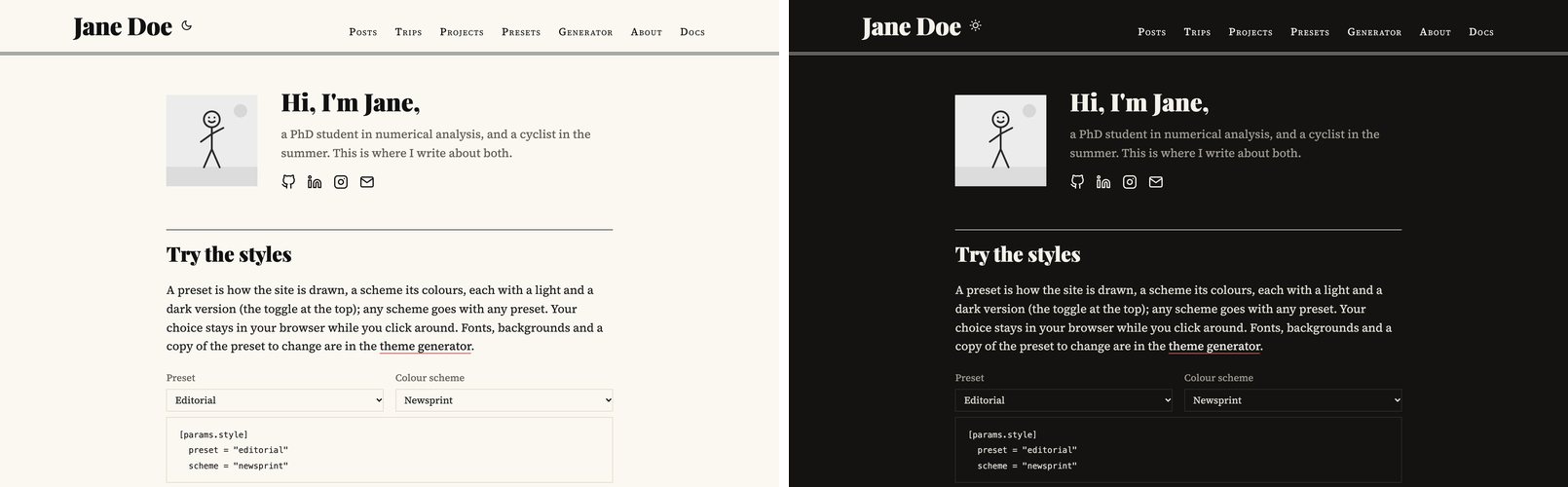
editorial
A newspaper. Playfair Display headlines over Source Serif text, the site’s name large as a masthead over a double rule, posts in two columns between rules on wide screens, dates in small capitals, a drop cap at the start of a post. Its scheme: newsprint.
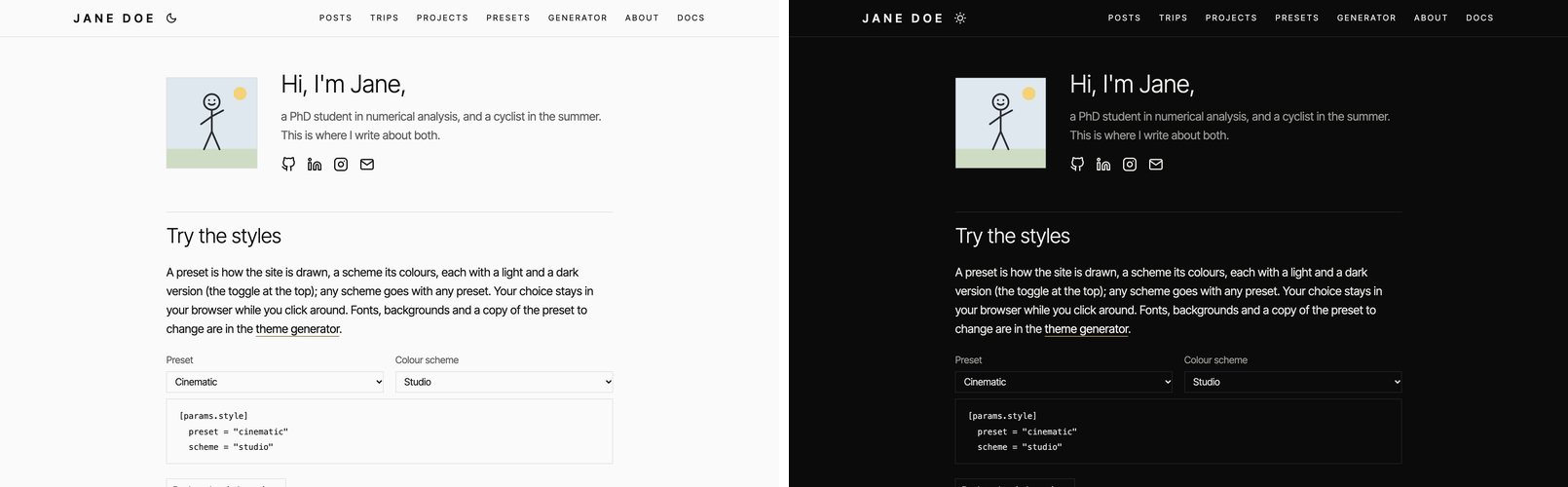
cinematic
For sites about photographs. Inter Tight in light weights, hairlines instead of boxes, square corners, no shadows, labels in spaced capitals, and taller galleries. Its scheme: studio.
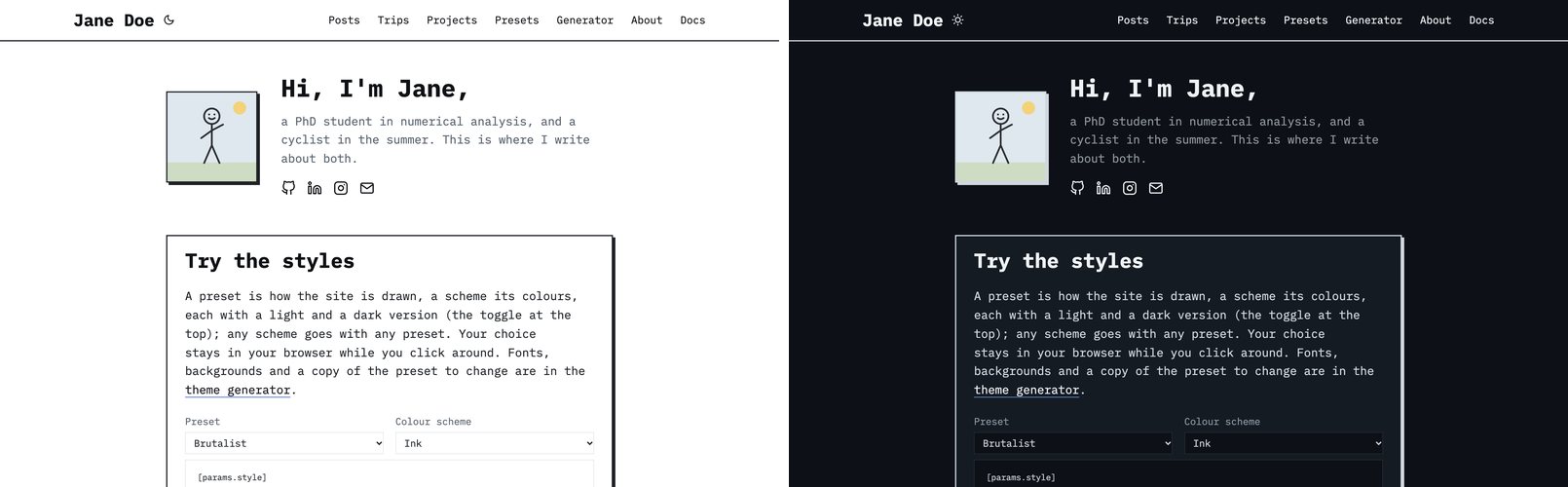
brutalist
IBM Plex Mono throughout, thick borders and hard shadows in the text colour, square corners. Cards jump towards their shadow when hovered. Its scheme: ink.
terminal
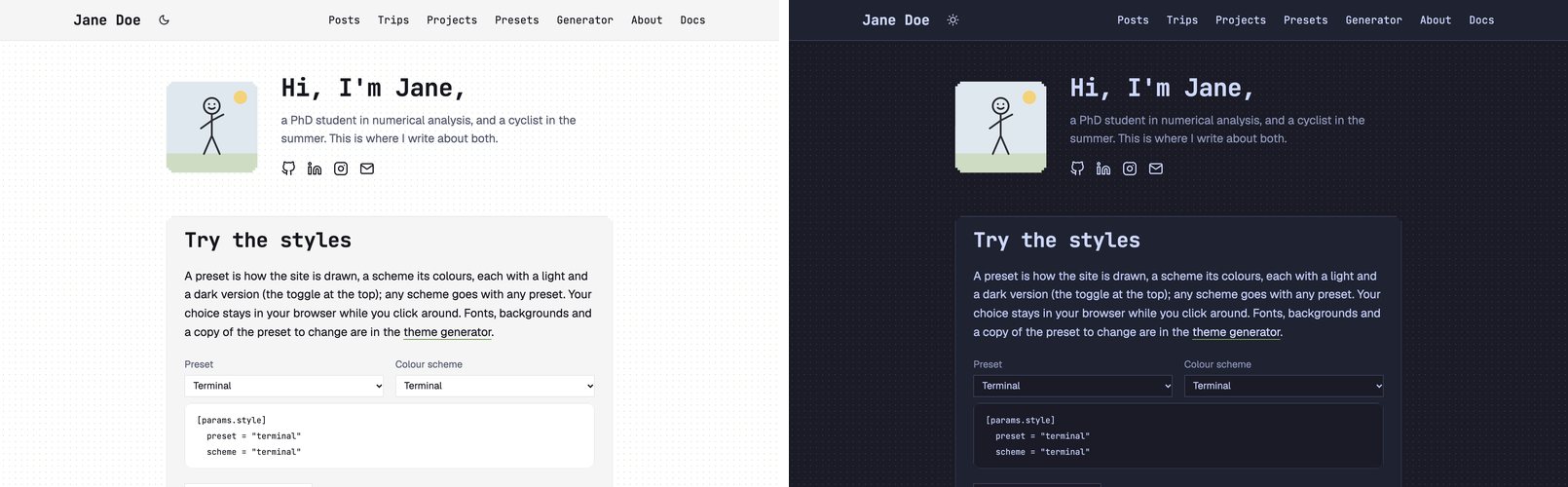
Geist for text and JetBrains Mono for everything that names things, a field of dots, square boxes with stepped
corners, headings marked like Markdown (##), post titles as a prompt (>), and a blinking cursor after the site’s
name. Its scheme: terminal.
A page of its own
A page can have its own preset, scheme or background, in its front matter. A photo story in cinematic, on a site in
fieldnotes:
---
title: "A week in Lofoten"
style:
  preset: cinematic
  scheme: studio
---
Only the page changes; the rest of the site keeps its look. The demo’s Presets section shows each preset on a page of its own this way.
Your own
A preset is a CSS file and a small data file. Your own presets and schemes shows how to make one, starting from a copy of the one you like best.